AURA
News that finds you.
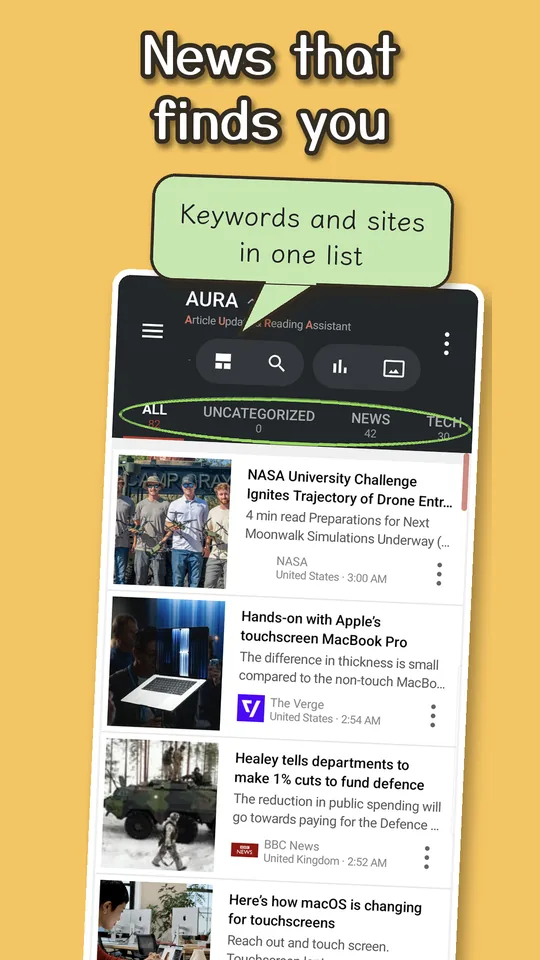
Stop hunting for news and let it come to you. Add a keyword once — a technology, a team, a hobby, a company you follow — and new articles keep arriving on their own.
AURA is an Android app that gathers new articles from the RSS feeds of news sites and blogs, and from keywords on Google News. AURA has no sync server. The only server we run is one relay. It is used only for the AI that writes AURA Brief · Audio scripts, counting episodes, the token of a device that started the free trial, and sharing the reading and translation dictionaries. It never receives your feeds, what you've read, or your articles. There is no account to create with us.
You sign in to Google only when you use sync between devices (AURA Plus, optional). Even then, your data is saved in an app-only folder in your own Google Drive (a place you can't see either), and we never receive it (how sync works). If you don't use sync, your feeds and read status stay on this device only.
AURA is made by Black Cat Fortune Works (Kuroneko Fukuya).
Watch the videos
Japanese audio — the Japanese edition of AURA. Turn on English subtitles (CC).
What you can do
AURA is a news and RSS reader that brings the words you care about and the sites you love into one place. Instead of checking app after app, let the stories that match your interests come to you. There is no limit on the number of feeds. Everything not marked "AURA Plus" is free.
Follow keywords
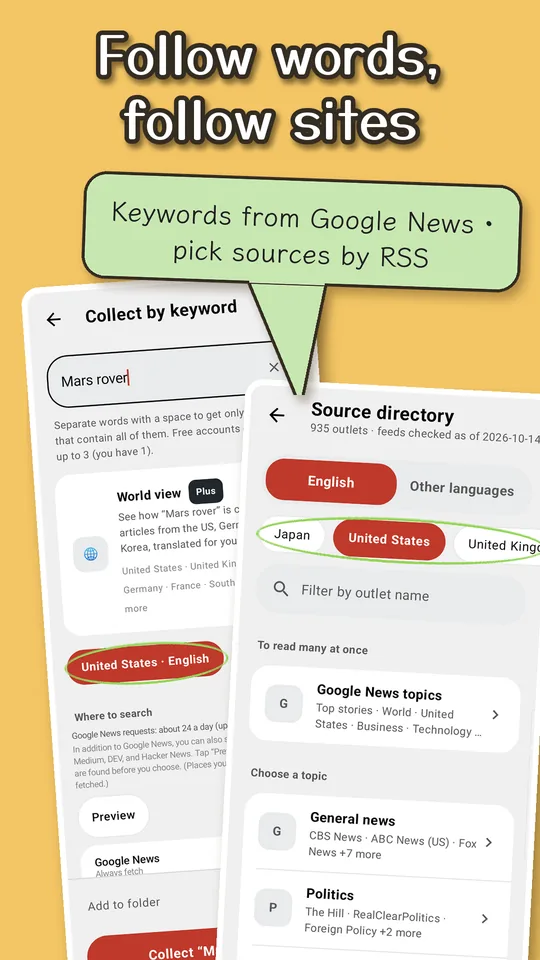
- Add a keyword and AURA gathers related articles from Google News for your country (up to 3 keywords for free, unlimited with AURA Plus)
- You can also choose Medium (by tag), DEV (by tag), and Hacker News (by title) as sources for a keyword. They are off by default
- When the same story arrives from different sources, AURA merges it into one so your list stays clean (AURA Plus)
- Pick sites to follow from a curated directory of sources
Follow your favorite sites
- Subscribe to news sites and blogs with RSS / Atom (enter a URL, or pick from the built-in source directory)
- Sort feeds into folders by topic
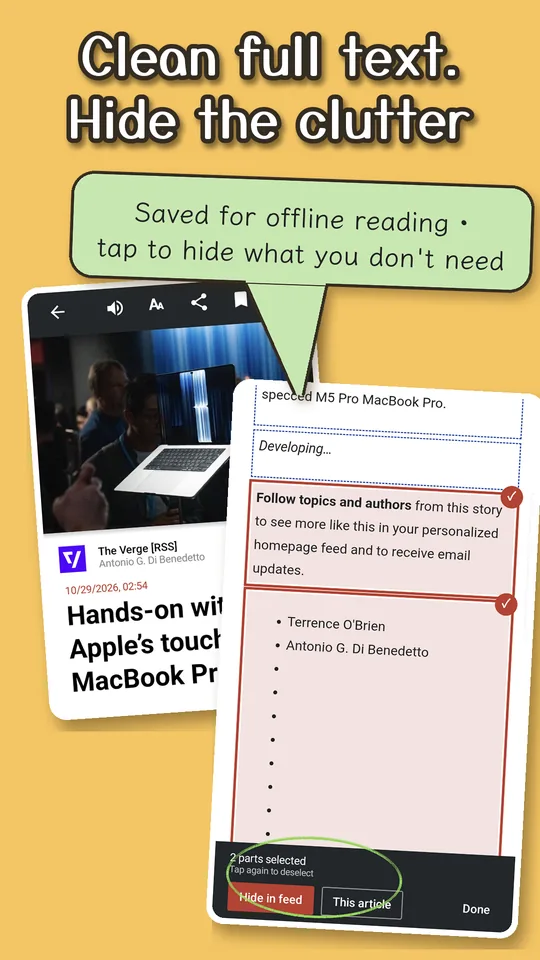
- AURA saves article text ahead of time, so you can read even with a weak signal
- Read management (unread / all / saved), saving articles, on-device search, and OPML import and export (to move from another reader)
See how topics move with AURA Brief (Beta)
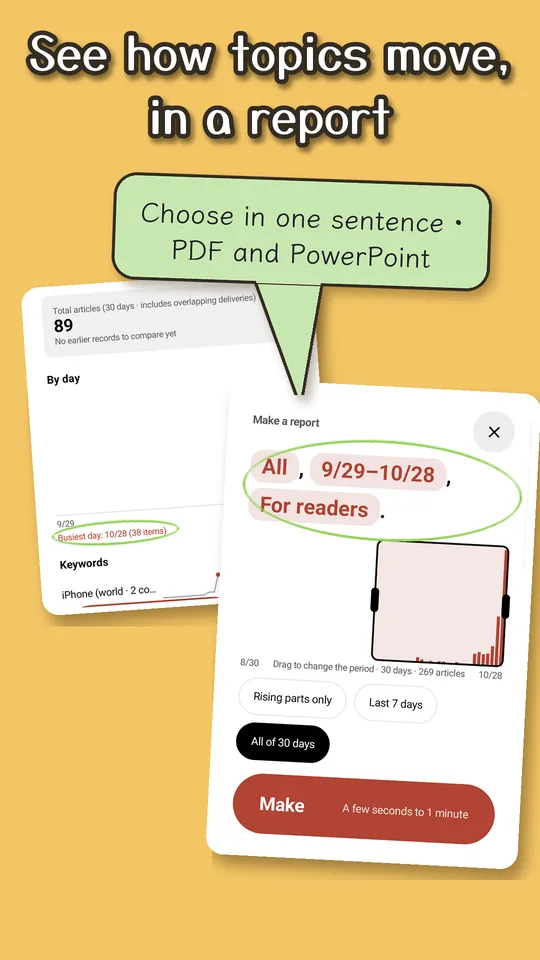
- Counts the articles you follow to show the period's topics, words that suddenly spiked, and which outlets write the most
- Tap "Make a report" and set the scope, period, and audience in one sentence to make a document
- Add words or topics to make a report on just those articles
- Export to PDF, PowerPoint, Word, Excel, or CSV. AURA remembers your usual format and destination, so next time you can save in one tap (all formats with AURA Plus; on Free, watch one ad to save a PDF once)
Videos about AURA Brief. Japanese audio — the Japanese edition of AURA. Turn on English subtitles (CC).
Listen
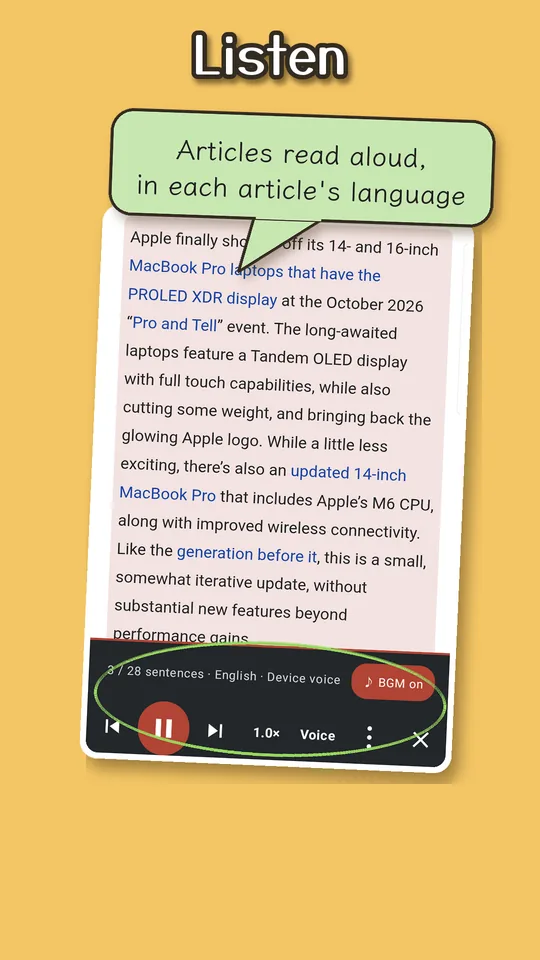
- Have articles read aloud
- Make AURA Brief · Audio (Beta), a short two-host briefing with Jet and Kit that talks you through the news (on Free, watch one ad for 1 episode a day; AURA Plus gets 3 a day ad-free, then 1 ad per episode up to 8 a day)
- Make narrated reports, where pages turn along with the voices (AURA Plus)
Read comfortably
- Choose text size, line spacing, and font
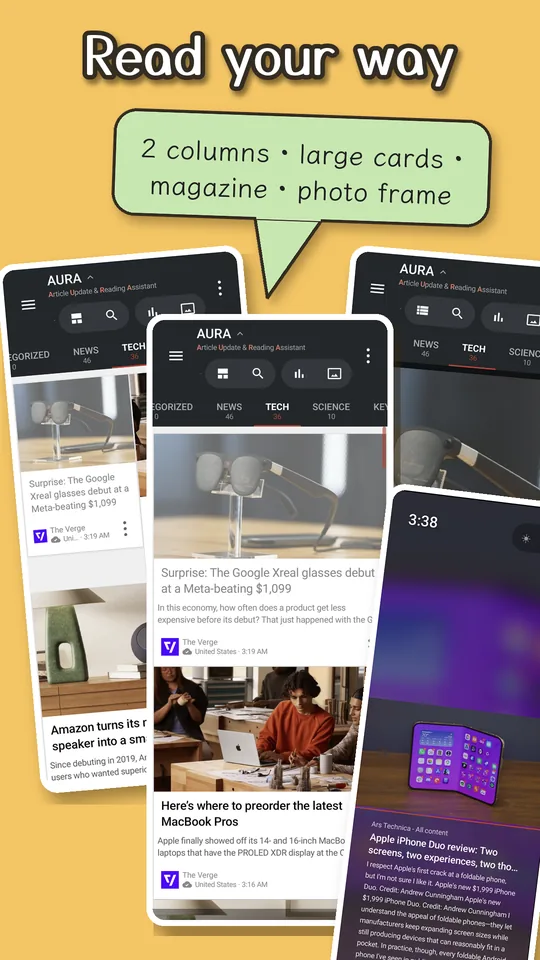
- Use the magazine view for large photos, or the photo frame to show photos and headlines (photo frame is AURA Plus)
Pick up where you left off on any device (AURA Plus)
- Sync uses an app-only space in your own Google Drive. AURA never runs its own sync server or accounts (how sync works)
- Read status and saved articles reach your other devices
With AURA Plus, you also get:
- No ads
- AURA Brief reports in every export format — PDF, PowerPoint, Word, Excel, and CSV (you can edit the numbers in PowerPoint charts)
- Narrated reports — add the voices, and pages turn along with the narration
- AURA Brief · Audio (Beta): 3 episodes a day, ad-free (after that, 1 ad per episode, up to 8 a day), and saving episodes as m4a
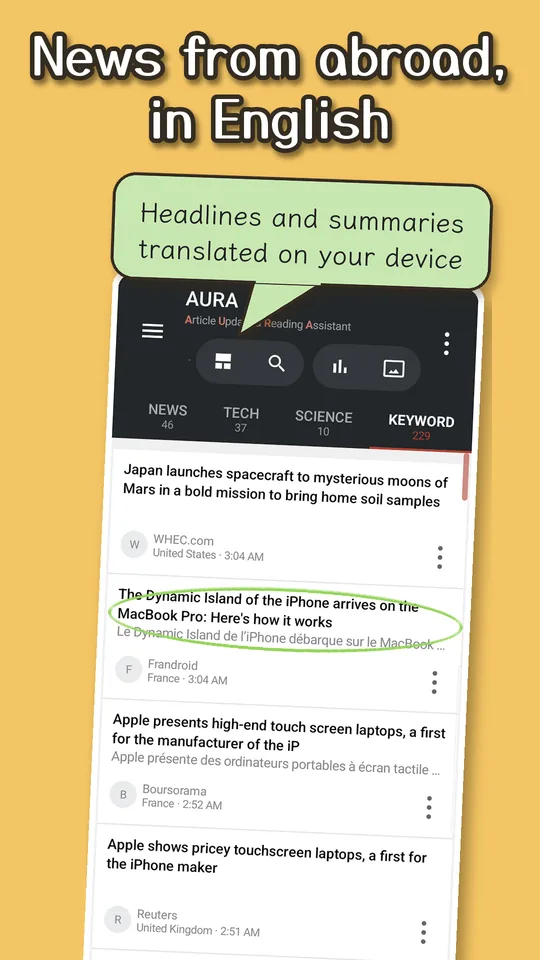
- Unlimited keyword feeds, keyword editions for other countries, importing keyword feeds from OPML, and World view (gather from Google News in other countries, with headlines and summaries translated on your device)
- Sync between devices — keep feeds, read status, and saved articles the same across devices (saved in your own Google Drive; we never receive it)
- Merge duplicate stories, Filters (hide articles with certain words, or pin them to the top), and choose how long read articles are kept
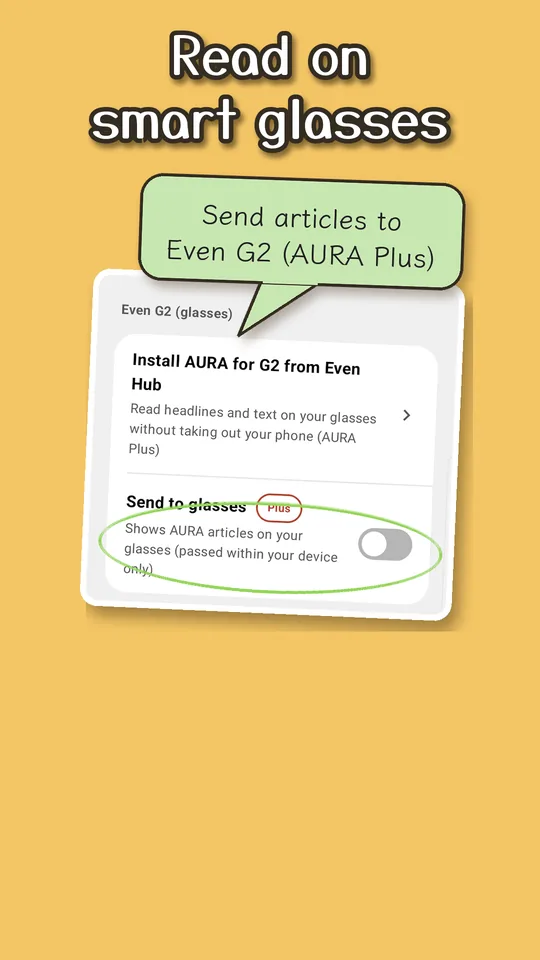
- Photo frame (also as a screen saver) and Even G2 support
- Select all in the source directory, widgets, and more storage for saved text and images (details)
Screenshots
Download
Available on Google Play. Requires Android 8.0 or later.
What we never receive
- Your feeds, read status, or saved articles
- A record of each article you read
Our relay server never receives any of these. Only counts of how features are used and crash records are sent to Google's Firebase (turn this off with Settings > Info & support > Send usage and crash reports; see the Privacy Policy).
Only when you make an AURA Brief audio briefing (including when a narrated report needs a new episode because none exists for that period yet), AURA sends the titles, outlet names, dates, and summaries of the articles in scope, plus the full text of the articles for the chosen topics, to the relay for the AI scripts. It never sends your feed list, your reading history, or personal information. What it sends is not used to train AI (see "AI scripts" in the Privacy Policy). You can turn this off in Settings.
Your feeds, folders, filters, settings, read status, and list of saved articles are saved in an app-only folder in your own Google Drive (a place you can't see either). We never receive this data. Article text and images are not synced (each device fetches them itself).
For details, read the Privacy Policy.